
Hey there! I’m Jared Newman, and this is Cord Cutter Weekly, my newsletter on how to save money on TV and make the most of streaming. Sign up here if someone shared this newsletter with you.
How to stream March Madness the right way
 Jared Newman |
No disrespect to all the other articles on how to stream March Madness in 2026, but I feel like something’s still missing.
Too much of what I’ve seen just lists out an overwhelming number of streaming options without much help making sense of them all. Some of them even recommend expensive services that don’t actually carry all of the March Madness games.
Having helped folks navigate the post-cable world for over a decade, I’ve got a pretty good handle on how you can watch the tournament without spending too much. Allow me to help by breaking things down into (pardon the pun) buckets.
(For the record, this column went live on PCWorld and my own site yesterday, in time for the start of the tourney.)
Weekly rewind
Amazon Prime’s ad-free price hike: Amazon is raising the price to remove the commercials from Prime Video, from $3 per month to $5 per month, effective April 10. That’s on top of the normal $139 per year cost of Prime itself. Amazon’s also moving 4K video exclusively to the ad-free tier.
To soften the blow, Amazon will enable Dolby Vision HDR on the ad-supported tier, while also increasing the number of simultaneous streams to four (up from three) and offline downloads on mobile devices to 50 (up from 25). The Ultra plan will support five simultaneous streams and 100 downloads.
I could see myself forking over $5 for a month of ad-free viewing if I wanted to binge-watch a particular series, but with Amazon shifting focus from original programming to live sports (which has commercials either way), I’m not seeing the value in paying for Ultra year-round.
DirecTV’s sports plan switch: DirecTV quietly retooled its MySports package this week, reducing the price from $70 to $65 per month while also dropping cable news channels such as CNN, MS Now, and Fox News. Meanwhile, a combo package of MySports and MyNews, which includes those channels and some others like CSPAN, now costs $80 per month.
So, the change is positive if you didn’t care about those news channels, not so much if you did. Either way, it puts DirecTV’s sports package at the same price as YouTube TV’s new Sports Plan, though the latter’s Sports + News combo will be cheaper at $72 per month.
More catch-up
- Roku starts testing an even more bloated home screen.
- Apple tests a “Genius Browse” feature on Apple TV boxes to help you find something to watch.
- Roku’s $3 per month Howdy service gets new content from Sony, Warner, and Disney. I told you it reminds me of Netflix’s early days.
- HP has a free streaming service now, and you can only watch it on Windows PCs.
- BET+ will be folded into Paramount+ in June.
Save more money
This part of the newsletter has some affiliate links, which earn me a commission if you wind up buying or subscribing to something.
If you haven’t been eligible for the $1 per month Paramount+ deal I’ve been mentioning in the newsletter lately, here’s a consolation price: You can get two months of Paramount+ Premium for $3 per month instead. The promo code MARPREM should be applied automatically at checkout, and is valid for both new and returning subscribers (but not current ones).
If you haven’t subscribed to Paramount+ lately, you should still try signing up for the Premium plan with promo code BG2L7M instead. That’ll get you two months for $1 per month, but it’s only for select returning subscribers.
Other notable deals:
- Last chance to get three months of Disney+ and Hulu (with ads) for $5 per month. Sign up through either Disney+ or Hulu.
- YouTube TV’s new $65 per month Sports plan is $55 per month for the first year.
- Get two months of DirecTV’s MySports package for $45 per month, or the aforementioned combo with MyNews for $60 per month.
- T-Mobile’s free MLB.TV offer goes live on Tuesday, redeemable through March 30.
As always, I keep a full list of up-to-date deals on this page.
I made a cell phone plan picker
Here’s a cool thing I put together for Advisorator members this week:
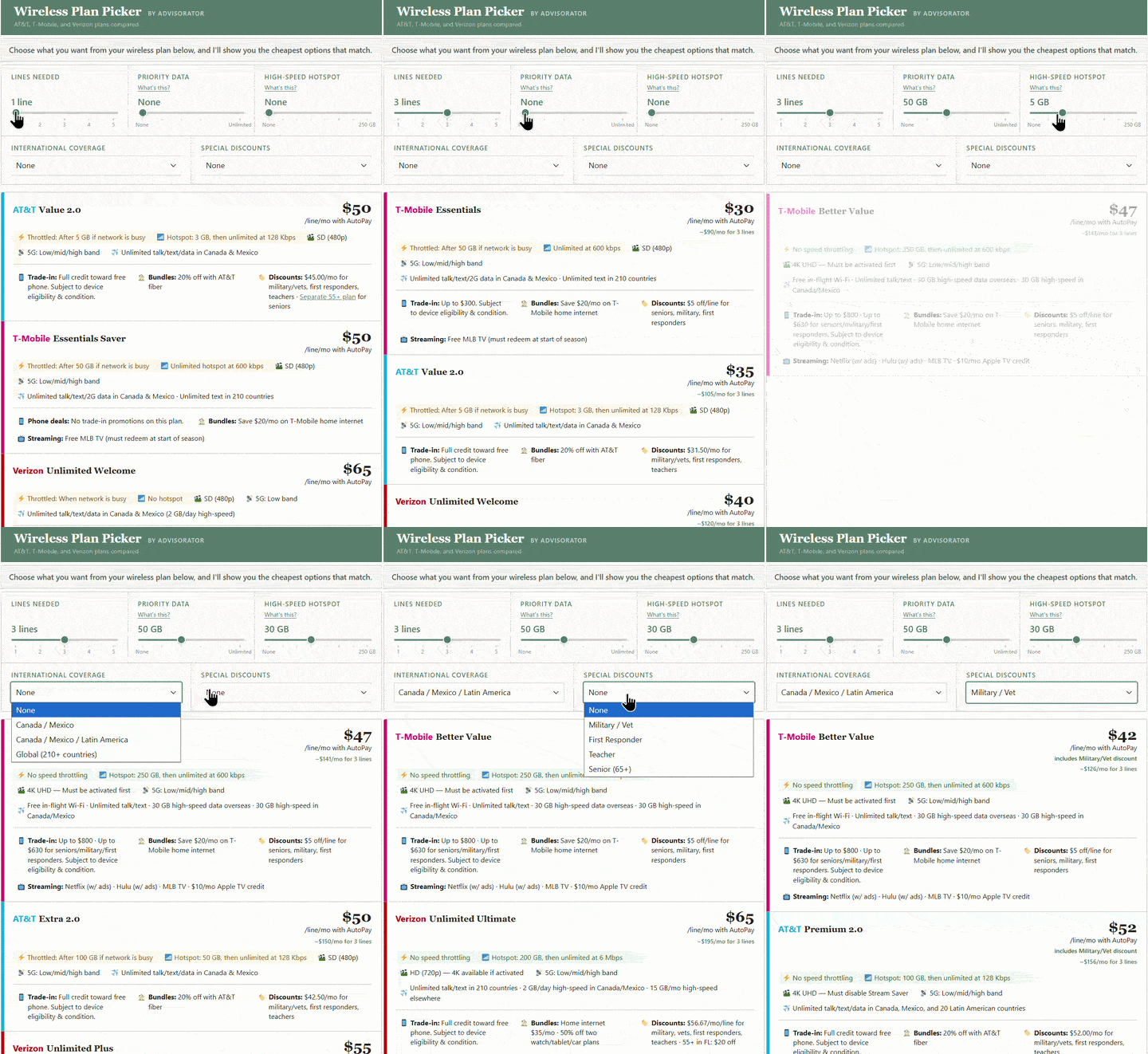
It’s an interactive tool for picking a wireless plan. Just dial in the amount of data you want, and you’ll get a list of the cheapest matching plans from the major carriers.
I also made a separate tool for figuring out how much those carriers will pay for your old phone when trading it in for a new one. They don’t make this information easy to find, so I did.
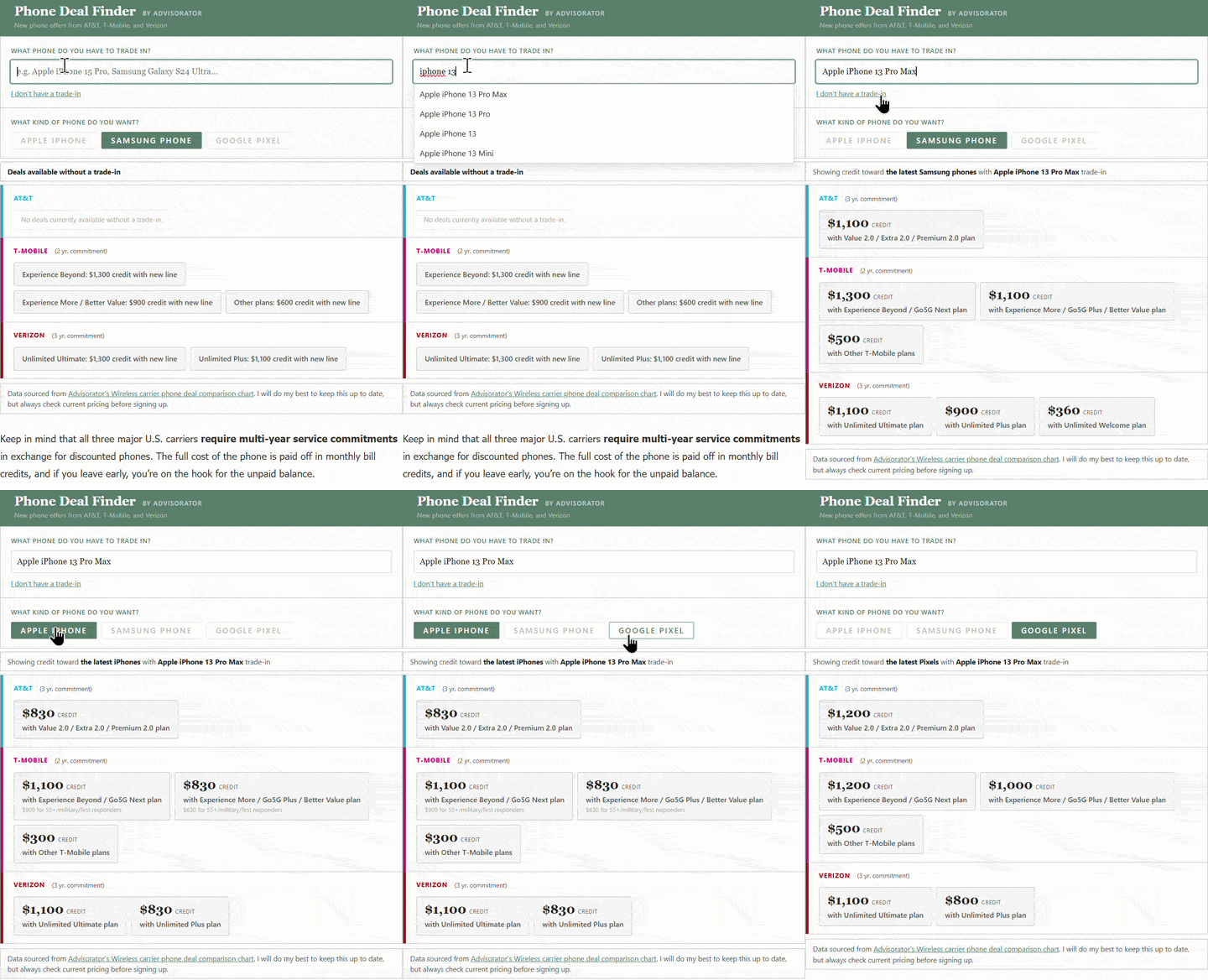
Both tools are included in my “How to pick a data plan” guide for Advisorator members. Sign up for as little as $5 per month to get access, and I’ll send you useful, actionable tech advice like this every week.
Thanks for reading!
That’s all for now. Catch you next week.
– Jared