

- Cord cutting basics
- Understand your streaming options
- Is an antenna right for you?
- Streaming savings calculator
- Choosing a streaming device
- Cutting the cord and next steps ←
Note: I’ve made this guide available with no ads or sponsors under a pay-what-you-can honor system. If someone shared this page with you, please consider purchasing a copy to support the work that went into creating this resource.
Now that your cord cutting plan is in place, it’s time to put everything together:
- Set up your streaming device. If you’re using an external streaming player, plug it into a spare HDMI port on your TV and follow the installation steps on your TV screen. Beware of online setup scams. You will never have to pay to activate a Roku, Fire TV, or other legal streaming device.
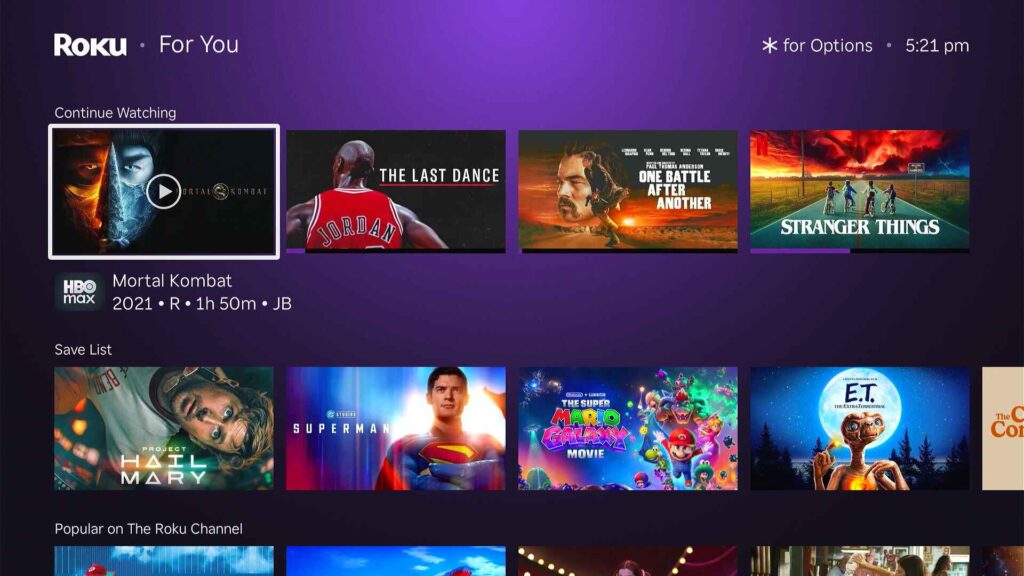
- Get comfortable. If streaming devices are new to you, make sure you’re comfortable using them before committing to a bunch of new subscriptions. Try poking around the home screen and experimenting with some free streaming apps to make sure you’re comfortable navigating the interface.
- Install your streaming services. Roku, Fire TV, and other streaming platforms all have app stores where you can download the apps for each of your streaming services. You’ll be able to launch them through the icons on your home screen.
- Subscribe to the streaming services you’ve selected. Most services will let you subscribe directly through your streaming device. But for reasons explained here, I suggest signing up directly through each service’s website, then signing into your account with each app. Be careful about winding up with duplicate subscriptions.
Once you’re confident in the setup, you can call your cable or satellite provider and ask to cancel. Be clear about what you want, and do not let their representatives scare you into paying for faster-than-necessary internet speeds. (As noted in the first section of the guide, it doesn’t take much to stream.)
What to do after cutting the cord
Congratulations on extricating yourself from cable or satellite TV and lowering your monthly TV bill.
The savings doesn’t have to stop here. Once you’ve acclimated to streaming, I suggest looking into some other ways to further shave down your costs:
Rotate, rotate, rotate
Instead of subscribing year-round to every streaming service you might need, strongly consider cycling through different services to save more money. My advice is to pick one or two streaming services as your base—the ones you’ll generally rely on when you’re not sure what else to watch—then add and drop others as needed.
Remember, streaming services are prepaid. If you sign up for Apple TV just to watch Ted Lasso, for instance, you can immediately cancel the subscription and still enjoy the full month you just paid for. Chances are you’ll save money just by forgetting to sign back up again between shows.
Seek out deals on streaming services
I maintain a list of active streaming deals on the Cord Cutter Weekly website. These include limited-time promotions for individual services, along with bundles with wireless service and other subscriptions. Some examples:
- Paramount+ is pretty much always on sale.
- Walmart+ includes Peacock at no extra charge and costs less annually than Peacock by itself.
- Some Verizon plans include discounts on Disney streaming, Fox One, and a bundle of Netflix and HBO Max.
- T-Mobile includes a $7 per month Netflix discount and gives away MLB TV in the spring.
Keep an eye on these deals and more to avoid paying full price.
Get your news for less
Cable news networks are among the most expensive channels on cable, and most are not available without some kind of pay TV package. Consider trying some alternatives to see if they scratch the same itch:
- Local news: Many local stations offer their newscasts for free if you know where to look. Check out NewsOn, Zeam, Local Now, Haystack News, or your local station’s own website. You’ll also find local news via Tubi, the Roku Channel, and Amazon’s Fire TV News app.
- National and international news: Pluto TV, Tubi, Roku Channel, Xumo, Sling TV Freestream, and Plex all offer round-the-clock streaming news channels, even from major networks such as CBS and NBC.
Shop around for home internet
Switching internet providers isn’t an essential element of cord cutting, and I don’t recommend doing it until you’re settled into your new streaming routine.
But once cable TV has faded into the rear view, you can yield additional savings by shopping around for internet as well. With the rise of 5G home internet from the likes of T-Mobile and Verizon, along with increasing fiber investment from companies like AT&T, your options may not be as scarce as they used to be.
Here’s my bonus guide to finding cheaper home internet →
Thanks for reading!
That’ll do it for my complete guide to cord cutting. If you have any questions, send me an email, and be sure to get my Cord Cutter Weekly newsletter to stay on top of the latest streaming developments.
Until next time,
Jared